
Platform
One environment, five layers, one rule: every figure is traceable.
Cogniartha connects enterprise planning, financial computation, AI/ML intelligence, operational screens, governed actions and information distribution. This page describes what the current build does, and marks what is specified but not yet built.
How the layers fit together
Experience
Role-scoped dashboardsUser-authored screensData entry & write-backActionsDistribution
Intelligence
Language layer - intent, never figuresML layer - forecasts labelled as predictions
Computation
Deterministic driver engineGoal-seeking scenario engineComposition service, per viewer
Planning model
Entities, measures, attributesWeighted hierarchyRecords pre-aggregated on write
Trust
Two-axis permissionsVersions & publishing governanceAudit trail & provenance
Planning & modelling
A planning model that is reviewed before it goes live.
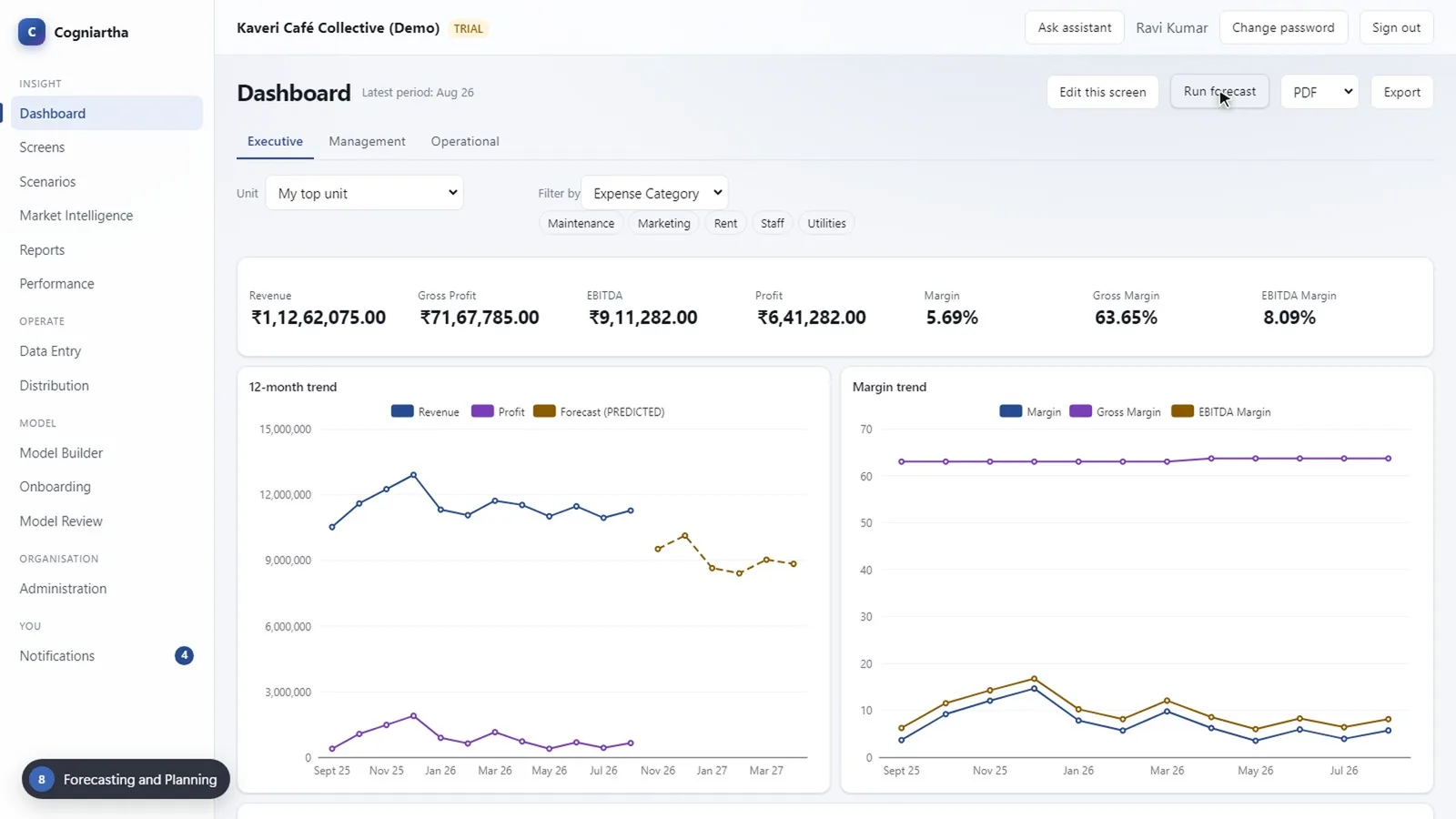
- Set up a model by describing the business in plain language, or define record types, attributes and measures directly. Both produce a draft.
- Continuous validation: blocking issues stop a version going live; warnings sit beside the structure.
- A live version is never edited in place. Changes go into a draft that someone else approves.
- Measures carry units and lever roles (price, volume, unit cost, fixed cost) used by the scenario engine.
- Lineage records every model version, its origin and its approver.
- Actuals and budgets arrive by hand, in bulk or from an accounting connector, validated against the live model.
Screens & authoring
Screens that users build themselves.
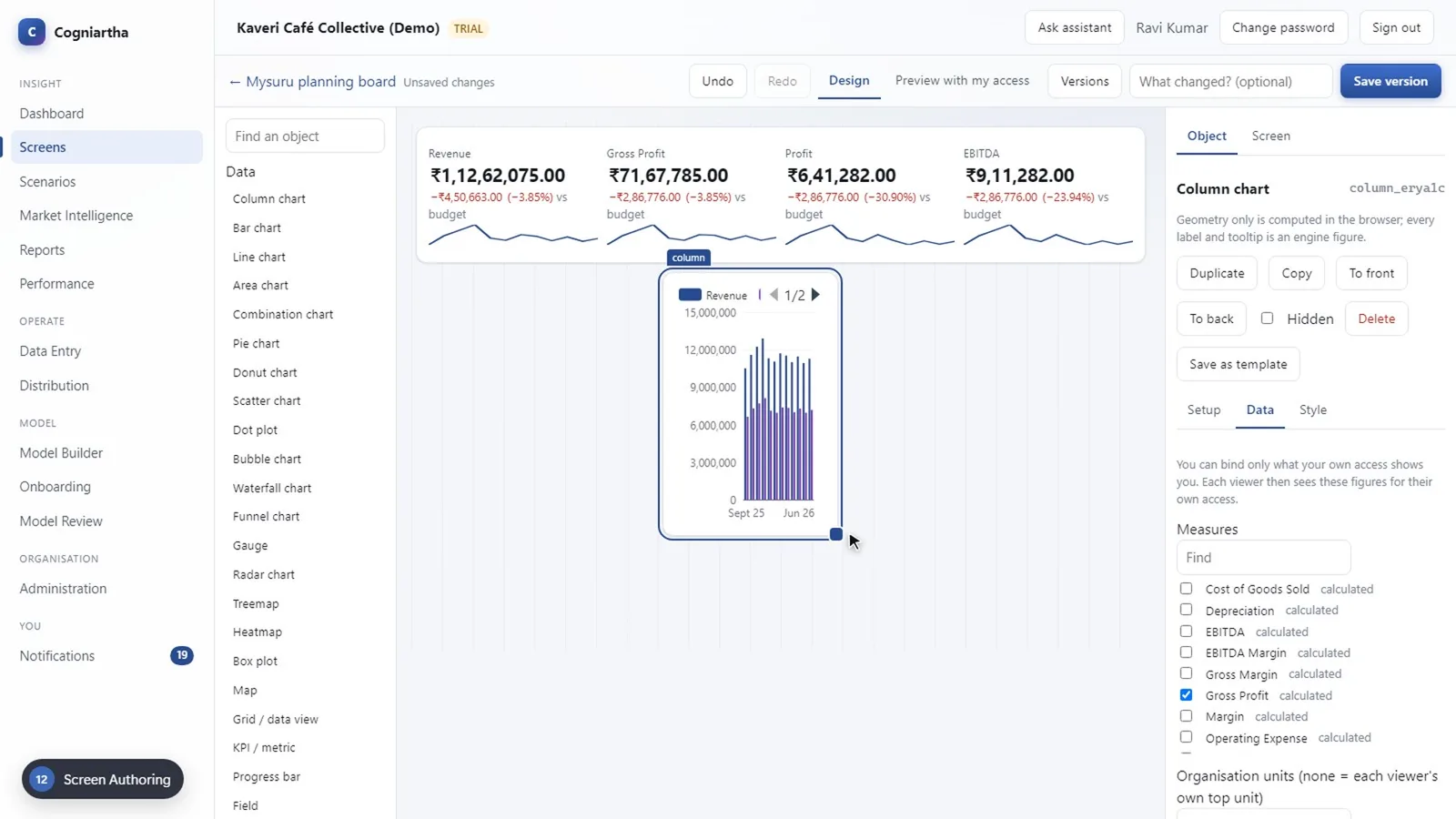
- 46 typed objects - 23 display data: charts, grids, KPI cards, gauges, heatmaps, maps and ML findings.
- Entry objects (editable grid, editable field, entry form) and filters: slicers, selectors, calendars, date ranges, pagers, search.
- Rich text, dynamic text, images and logos, shapes, annotations and web content from approved sites; themes for colour, type and spacing.
- Move, resize, duplicate, layer, copy between screens, nest containers - every change can be undone.
- Semantic binding to the live model by name; the screen stores names, never values.
- AI-generated screens are validated like hand-built ones and remain fully editable.
Operational actions
Screens where work happens.
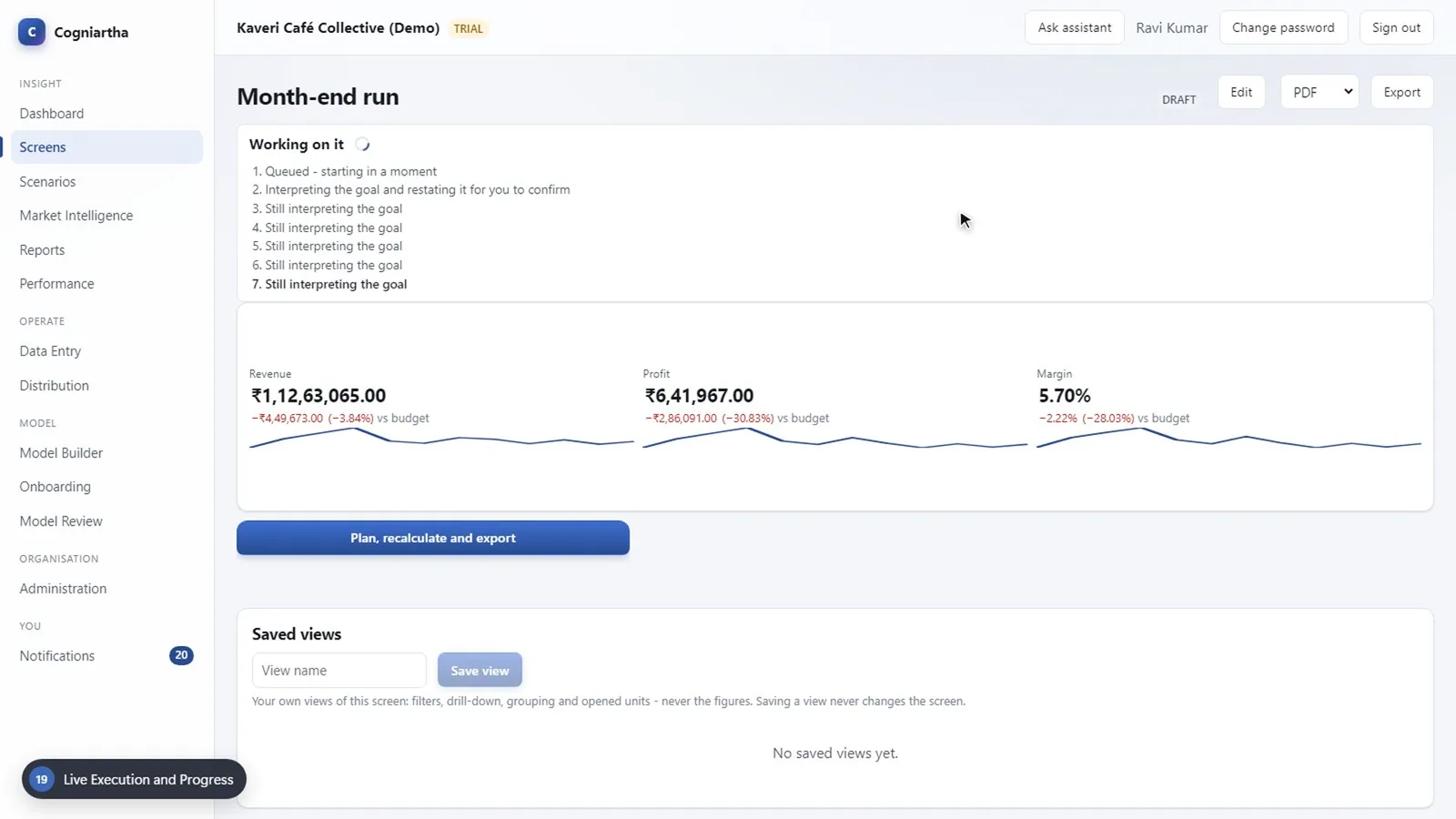
- Eight action classes: ML forecast, driver-engine recalculation, scenario, write-back, export, email, navigation and sequences of these.
- A button stores its action and parameters, never an actor - it runs as whoever clicks it.
- Scenarios run on an explicit AI path (goal in words) or a deterministic path (stated lever changes, no AI).
- Long work runs as background jobs with live progress; each step commits on its own.
- Navigation can carry the current filter context to the target screen.
Distribution & governance
Governed distribution, scoped to each recipient.
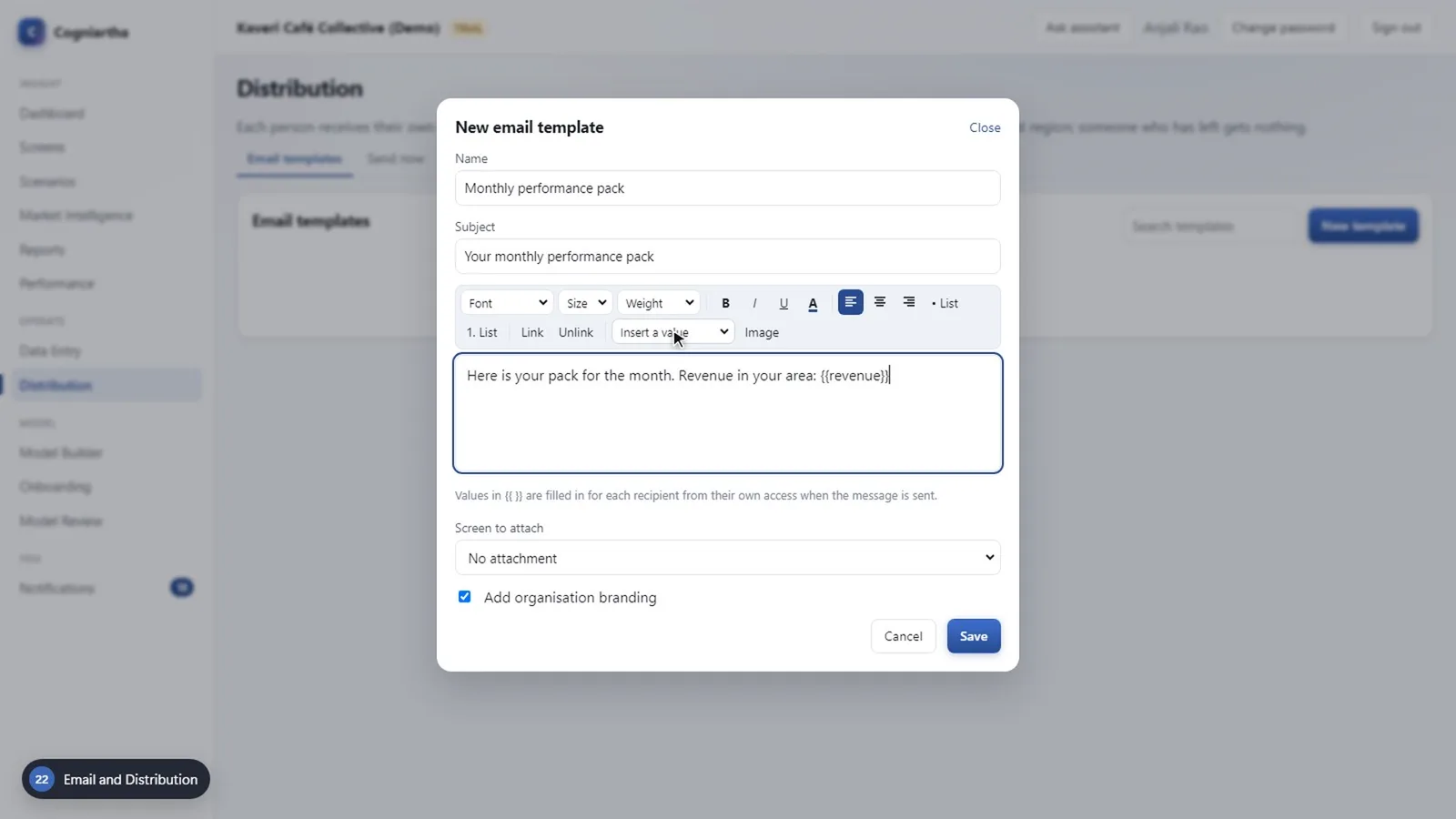
- Versioned, searchable templates; a send keeps the template version it used.
- Schedules (daily, weekly, monthly, in a stated time zone) and triggers on thresholds, variances, shortfalls and changes.
- A send is split into one work unit per recipient before anything is rendered; access is resolved at send time.
- Publishing rules per scope - the Publish right, an approval, or both - plus audited oversight.
- An audit log with actor, target and before-and-after state for every change.
Feature verification matrix
What the current build does - and what it does not yet.
Demonstrated shown working in the recorded demo of the current build (chapter linked). In validation built, verification in progress. Specified designed but not in this build.
| Capability | Status | Where to see it |
|---|---|---|
| Tenant isolation, roles, two-axis access | Demonstrated | Chapter 4 |
| Model building, validation, approval | Demonstrated | Chapter 5 |
| Measures, drivers, lineage, weighted hierarchy | Demonstrated | Chapter 6 |
| Controlled data entry and write-back | Demonstrated | Chapter 7 |
| ML forecast labelled as prediction; budgets and variance | Demonstrated | Chapter 8 |
| Natural-language goal to engine-computed scenario options | Demonstrated | Chapter 9 |
| Figure provenance and replay check | Demonstrated | Chapter 10 |
| Filters, slices, saved and shared views, export (6 formats) | Demonstrated | Chapter 11 |
| Screen authoring, toolbox, semantic binding | Demonstrated | Chapters 12-14 |
| Editable grids, drill-down and drill-through | Demonstrated | Chapter 15 |
| AI-generated, editable screens | Demonstrated | Chapter 16 |
| Action buttons, AI and deterministic paths | Demonstrated | Chapters 17-18 |
| Live progress for long-running work | Demonstrated | Chapter 19 |
| Publishing governance and approvals | Demonstrated | Chapter 20 |
| Per-viewer security on screens, actions and exports | Demonstrated | Chapter 21 |
| Email templates, schedules and event triggers | Demonstrated | Chapters 22-23 |
| Per-recipient generation | Demonstrated | Chapter 24 |
| Audit trail with before and after state | Demonstrated | Chapter 25 |
| Email delivery through an external mail relay | Configuration | Requires a configured relay; the recorded build delivers to in-platform notifications |
| PostgreSQL row-level-security backstop | In validation | Chapter 21 |
| Scale testing on PostgreSQL | In validation | Chapter 27 |
| Budgeting, planning and revenue-projection buttons | Specified | Chapter 17 (stated in the film) |
| Deterministic forecast | Specified | Chapter 17 (stated in the film) |